The definitive
multi-protocol terminal
Connect to remote infrastructure with maximum speed and control. SSH with X11, integrated SFTP file manager, secure FTPS, Serial console with ZMODEM, SSH tunnels, and simultaneous multi-input in a sleek interface for Linux and Windows.
git clone git@github.com:Gargadon/banchoxterm.git && cd banchoxterm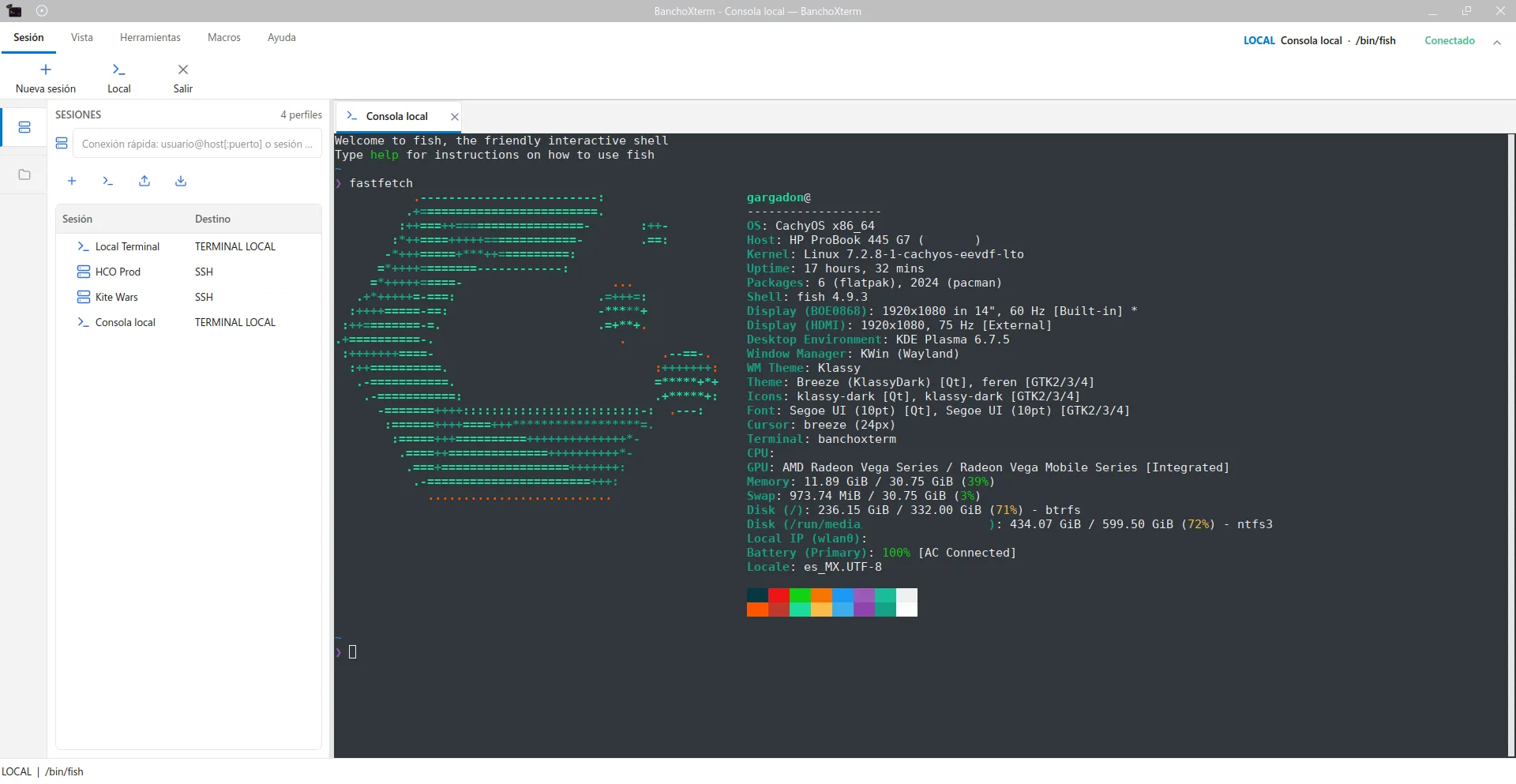
Everything a SysAdmin & Developer Needs
Engineered to replace sluggish, fragmented tools with a fast, reliable, all-in-one native terminal solution.

Multi-Tab & Split Terminal
Organize multiple local and remote sessions at once. Open independent tabs or split screens horizontally and vertically to compare logs side by side.

Multi-Input Broadcast
Type once and send keystrokes to all open terminals simultaneously. Ideal for patching clusters, restarting services, or querying status across machines.

Integrated SFTP Browser
Browse remote directory trees in the sidebar, transfer files with drag-and-drop, manage permissions, and edit remote configuration files in-place.

SSH Tunnels (Local, Remote, SOCKS5)
Easily configure local, remote, and dynamic SOCKS5 port forwarding. Bypass firewalls and securely reach private cluster databases with one click.

Live Remote System Monitoring
Monitor CPU load, RAM utilization, disk capacity, and uptime in real time right in the status bar of every connected SSH session.

Serial Console & ZMODEM
Direct connection to UART/RS-232 hardware, network switches, and IoT microcontrollers with configurable baudrates and XMODEM/ZMODEM file transfers.

FTP / FTPS with TLS 1.3
Secure FTP connections with strict certificate validation, passive mode, custom CA bundles, and resilient auto-reconnect on network drops.

100% Native C++17 & Qt 6
Zero Chromium or Electron bloat. Instant startup, ultra-low typing latency, and minimal RAM footprint powered by an in-process QTermWidget engine.

Themes, Palettes & i18n
Dark and light interface modes, customizable terminal color schemes, and native internationalization in English, Spanish, and Portuguese.
All Your Connection Channels in One Tool
From cloud clusters to serial console cables in your server rack: administer modern infrastructure and network hardware without switching apps.
SSH & X11
Robust SSH connections powered by libssh2. Supports public/private keys (Ed25519, RSA), SSH agents, secure passwords, and graphical X11 forwarding.
- Protected key-based auth and SSH Agent integration
- X11 GUI forwarding (auto-launches companion VcXsrv on Windows)
- Built-in SSH tunnel manager: Local, Remote, and Dynamic SOCKS5
- Native Linux Secret Service integration (GNOME Keyring / KWallet)

SFTP & Transfer
A remote file manager always available in the sidebar. No need to launch separate FTP tools like FileZilla or WinSCP just to tweak a config file.
- Remote tree browser displaying permissions, ownership, and sizes
- Upload and download via seamless drag & drop within the app
- In-app editor to modify server configuration files directly
- Background transfer engine without interrupting active shell sessions
Serial Console & ZMODEM
Built for network engineers, sysadmins, and embedded developers working with Cisco switches, Mikrotik routers, or dev boards.
- Compatible with picocom, screen, and minicom workflows
- Hardware COM port and /dev/ttyUSB* autodetect with baudrate picker
- Direct firmware and file transfer via XMODEM and YMODEM
- Native ZMODEM file sending through integrated 'sz' (lrzsz)
FTP / Secure FTPS
Access traditional file storage servers backed by modern cryptographic layers with TLS 1.2 and TLS 1.3 support.
- Modern FTPS encryption with TLS 1.2 or TLS 1.3-only options
- Custom CA bundle validation and self-signed certificate policies
- Recursive folder transfer, queue pausing, and cancellation
- Resilient automatic reconnect handling unstable networks
Tired of bloated Electron terminals?
Most modern terminal apps ship an entire Chromium browser just to render text, consuming hundreds of megabytes of memory and sluggishly lagging behind your keystrokes.
BanchoXterm is written in native C++17 with Qt 6 and a specialized QTermWidget fork. The result is instant responsiveness, sub-second startup, and minimal impact on system resources.
 < 40 MBTypical RAM usage
 < 200 msCold startup time
 0 Cloud100% Local & Private
| Feature | BanchoXterm | Electron Terminals |
|---|---|---|
| Core Technology | C++17 + Qt 6 | Chromium + Node.js |
| Memory Footprint | ~35 MB | 400 MB - 1.2 GB |
| Live SFTP Explorer | ✔ Built-in | Requires plugin or Pro tier |
| Serial Console / ZMODEM | ✔ Native | Unsupported / Clunky |
| SSH Tunnels (SOCKS5/Local) | ✔ Included | Limited |
| License & Privacy | GPL v3 (Free & Open) | Freemium / Telemetry |
Start using BanchoXterm today
Download pre-built binary installers for Windows or build directly on your favorite Linux distribution in just a few commands.
Windows 10 / 11
Features ConPTY terminal bridging, X11 companion server integration (VcXsrv), and DPAPI-encrypted password storage.

Linux (Ubuntu / Fedora / Arch)
Integrates with Linux Secret Service (GNOME Keyring / KWallet), native QTermWidget rendering, and system shells.
sudo apt install build-essential cmake ninja-build \
  qt6-base-dev qt6-serialport-dev qt6-tools-dev qt6-tools-dev-tools \
libssl-dev zlib1g-dev libsecret-tools lrzszgit clone git@github.com:Gargadon/banchoxterm.git
cd banchoxterm
git submodule update --init --recursivecmake -B build -G Ninja
cmake --build build
./build/banchoxtermsudo dnf install cmake ninja-build \
qt6-qtbase-devel qt6-qtserialport-devel qt6-qttools-devel \
openssl-devel zlib-devel libsecret lrzszgit clone git@github.com:Gargadon/banchoxterm.git
cd banchoxterm
git submodule update --init --recursive
cmake -B build -G Ninja
cmake --build build
./build/banchoxtermset PATH=C:\Qt\6.8.3\msvc2022_64\bin;%PATH%
cmake -B build -G "Visual Studio 17 2022" -A x64
cmake --build build --config Release